5 Android Auto and Apple CarPlay features you need to know
 Redacción
20 April 2018
6 min.
Redacción
20 April 2018
6 min. 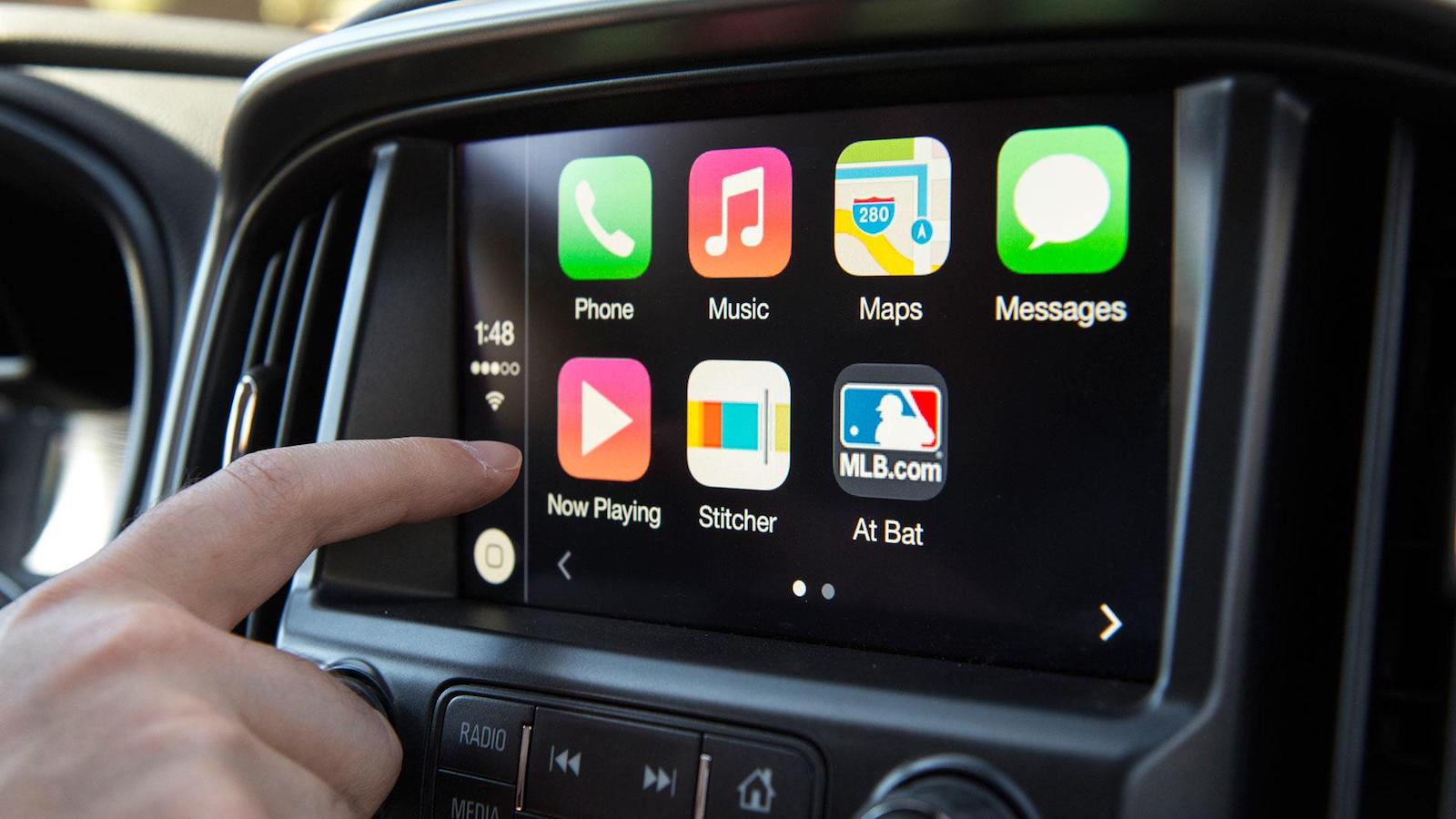
Writing WhatsApp messages legally is one of the major advantages offered by Android Auto and Apple CarPlay.
Android and Apple have finally conquered the car market. Today, most models on the market offer the ability to use your phone on the car’s control panel. Android Auto and Apple CarPlay have revolutionised vehicle connectivity to the point where traditional satellite navigators are beginning to lose their relevance. Are you aware of the features these connectivity systems offer? Here we explain the 5 most important features of Android Auto and Apple CarPlay.
1. Write text messages and WhatsApp messages legally
https://www.youtube.com/watch?v=_iag6vJJymo
One of the biggest risks on the road is the worrying increase in drivers who use WhatsApp while driving. Thanks to Android Auto and Apple CarPlay, you can use this instant messaging service without putting your life or the lives of other drivers at risk.
Through voice commands, you can ask the system to open the app (WhatsApp or text messages) and dictate the message you want to send to a specific recipient (person or group). Then, voice recognition turns your words into text, which is sent instantly.
Either way, Top 10 Motor recommends turning this function off and using it only when absolutely necessary. If you read every message that arrives, you may end up neglecting what really matters: the road.
2. Navigating with Google Maps in your car has never been easier
Android Auto and Apple CarPlay allow you to use several mobile navigation apps (Google Maps, Apple Maps, Waze…) on the car’s infotainment system. To use them, simply press a button, activate the voice commands on your phone (Siri or the Google Assistant) and tell the system where you want to go.
Google Maps is one of the most complete navigation apps on the market, and in most cases it outperforms car manufacturers’ navigators because it is more intuitive, simpler to use, and runs on one of the largest databases in the world (Google). For this reason, it makes less and less sense to buy a navigator as an optional extra when purchasing a car.
Android Auto and Apple CarPlay are almost always included in the price of the car’s infotainment system, whereas the manufacturer’s navigator will often carry an extra cost ranging from €300 to €2,500 (in the case of premium brands).
A small warning: Google Maps can run on Apple CarPlay, but we will need to make a series of adjustments on our smartphone, which are not necessary when using Android Auto.
3. Manage your Spotify music without touching your phone
Android Auto and Apple CarPlay let you manage your music (Spotify, Google Play Music…) while driving without needing to touch your smartphone. If you want to change songs, playlists or search for new music, you can do so using voice commands, the steering wheel controls, the central console wheel or the touchscreen of the infotainment system.
4. Access Siri and the Google Assistant from the steering wheel
Both systems, Android Auto and Apple CarPlay, feature a voice recognition assistant , accessed via a button on the steering wheel, which allows us to carry out searches on the internet, check the weather, find the address or phone number of a restaurant to make a booking…
It is important to note that this function is only available in vehicles equipped with a voice recognition system.
5. Access many other apps from the car
Android Auto and Apple CarPlay offer a wide variety of less essential, but also very useful, apps. Skype is one of them, and the rest are music streaming or internet radio services. Here is a short list of them, but there are many more. You can discover them on the Android Auto and Apple CarPlay websites:
- Podcasts
- Waze
- Audiobooks
- Skype
Apple CarPlay only works with a cable
Android Auto can operate without a cable, via Bluetooth, or through a USB port. For its part, Apple CarPlay only works if we connect the smartphone to a USB port.
Apple CarPlay is more intuitive, but works with fewer apps
Apple CarPlay lives up to the good usability of the iPhone. Its controls and graphics are easy to use and intuitive, something in which Android Auto ranks a step behind. On the other hand, Android Auto works with more apps, as we saw earlier.
The smartphone you need
To use Android Auto you will need a smartphone of practically any brand (LG, Samsung, HTC, Huawei, Sony…), except Apple, that runs Android version 5.0 or higher. In the case of Apple CarPlay you will need an iPhone 5C or higher.
Today, 80% of the smartphones sold meet the above requirements, both in the case of Apple and Android.
Brands and models offering Android Auto and Apple CarPlay
They started as a minority, but today most brands and models on the market offer these connectivity services: in the case of Apple CarPlay there are more than 300 models, and for Android Auto more than 400.
How to get Android Auto and Apple CarPlay in my old car?
If your car is a few years old and is not compatible with these systems, don’t worry, there is a solution! Several audio companies such as Alpine, JVC and Kenwood have created a very interesting alternative so you can enjoy Android Auto and Apple CarPlay in your car.
https://www.youtube.com/watch?v=fXnoqLoMCfw
As we can see in the video, Alpine has created a digital receiver that is compatible with Android Auto and Apple CarPlay, which includes a 9-inch touchscreen. The system features Bluetooth to connect our smartphone without cables, plus USB ports, traditional audio outputs and even an HDMI port to play content from another device. This digital receiver has already hit the market and costs $1,100, or about €900 at current exchange rates.
For its part, JVC offers a similar device priced at around €600; for €700 it also includes a DVD unit. The resistive screen (you have to press to tap something) is slightly smaller than in the previous model: 6.8 inches.
Finally, Kenwood has opted for a capacitive screen (like those on smartphones) of 6.8 inches. Its price starts at $850, about €700 at current exchange rates. If you also want it to include a DVD, the price rises to $1,100, or about €900.


 Peugeot E-208 GTi: a battery-powered toy that revives the spirit of the 1980s sports cars
  New Lexus ES: luxury grows and goes electric
  First contact with the Dacia Sandero Hybrid 155: power and efficiency from €19,890
 Comentarios cerrados